A tripod computer stand elevates laptops, tablets, projectors, and monitors to an ergonomic eye level, enhancing posture and productivity across diverse settings. Unlike traditional camera tripods, these stands are designed to support digital devices for remote work, presentations, content creation, and field professionals. At SxJks.com, we emphasize understanding these versatile devices to optimize your workflow and ensure comfort.
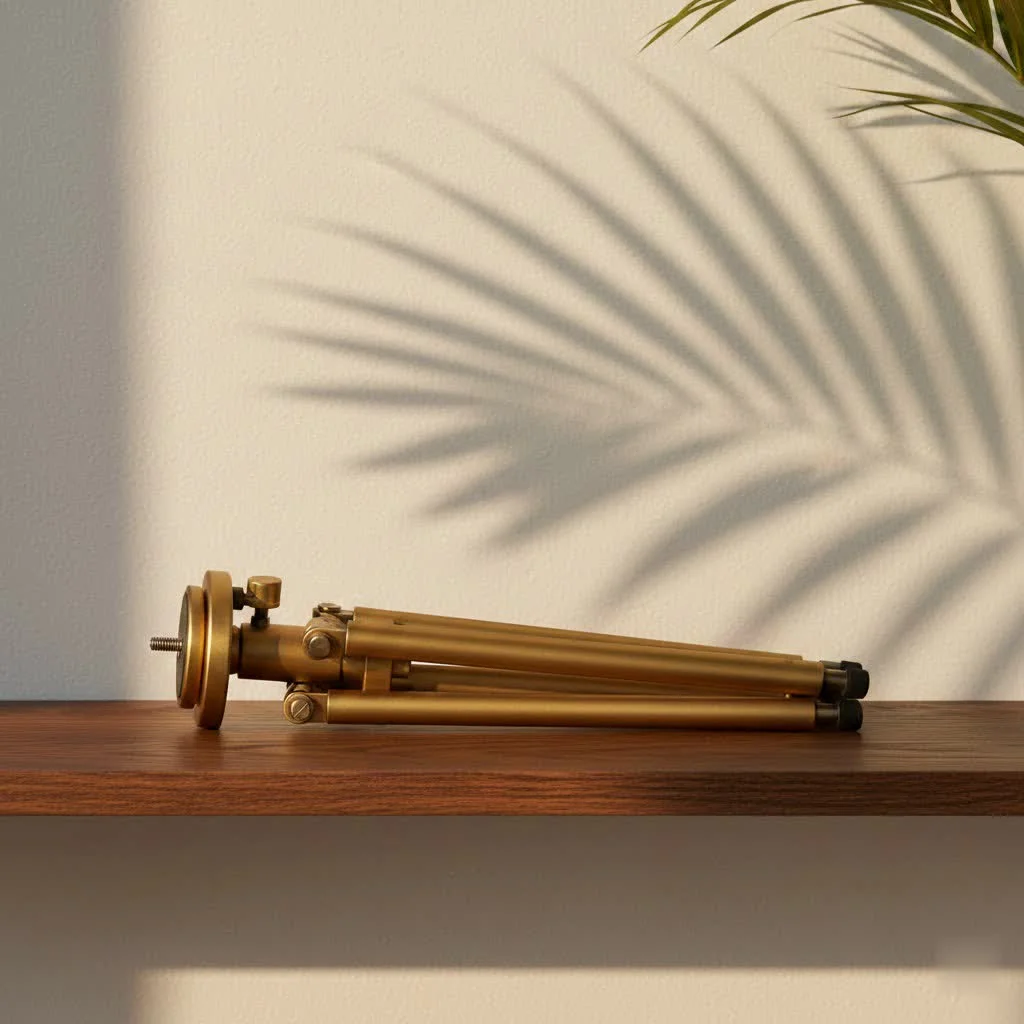
Why a Tripod Computer Stand Isn’t Just for Cameras Anymore
For years, tripods were the exclusive domain of photographers and videographers, essential for capturing stable shots and achieving precise framing. However, the foundational principle of a tripod – providing a steady, adjustable base – has found a powerful new application in computing. The modern tripod computer stand takes this robust design and adapts it for laptops, tablets, projectors, and even full-sized computer monitors, offering unparalleled flexibility. For compare top tripod stands on this site.
The core benefit, often overlooked until discomfort strikes, is ergonomics. Spending hours hunched over a laptop can lead to what experts call “tech neck” or “text neck,” characterized by chronic neck, back, and shoulder pain. By elevating your screen to eye level, a tripod computer stand actively combats these issues, promoting a healthier posture and significantly reducing strain on your musculoskeletal system. It’s an investment in your health as much as it is in your productivity.
Beyond the Desk: Diverse Applications for Your Tripod Computer Stand
The beauty of a high-quality tripod computer stand lies in its incredible versatility. It seamlessly integrates into a multitude of scenarios, making it an indispensable tool for a wide array of professionals and enthusiasts.
The Mobile Office & Remote Work Revolution
The rise of remote work has made the portable office a reality for millions. For digital nomads hopping between cafes, co-working spaces, or even working outdoors, a compact and sturdy tripod computer stand is a major upgrade. It instantly transforms any surface into an ergonomic workstation, allowing you to set your laptop at the perfect height, whether you’re sitting or standing. Think of it as your portable standing desk, ready to deploy in moments. This adaptability is crucial for maintaining focus and comfort when your office is wherever you happen to be.
Powering Presentations & Performances
For educators, presenters, DJs, and musicians, the tripod computer stand is a silent workhorse.
- Projectors: They provide a stable, height-adjustable platform for projectors, ensuring your visuals are always perfectly aligned with your screen. No more stacking books or balancing expensive equipment precariously!
- DJ Setups: DJs often rely on tripod stands to position their laptops or controllers at an optimal height for seamless mixing and crowd engagement.
- Musicians: From holding sheet music to providing a stable base for small audio interfaces or mixing boards, these stands offer musicians the freedom to focus on their craft without worrying about their gear.
Elevating Content Creation & Streaming
|
Our Picks for the Best Tripod Stand in 2026
As an Amazon Associate I earn from qualifying purchases.
|
||
| Num | Product | Action |
|---|---|---|
| 1 | CAMBOFOTO 74\"-Camera-Tripod, Professional Aluminum Tripod/Leg Stand Mirrorless Camera/DSLR/Cell Phone/Camcorder/GoPro, with Phone Holder and Travel Bag (Gunmetal Gray) Weight 2.8 lbs Load 8.8 lbs |

|
| 2 | Amazon Basics 50-inch Lightweight Portable Camera Tripod Stand with Quick-Release Plate, Adjustable Height, Aluminum, for Travel Photography, Champagne |
|
| 3 | 71” Phone Tripod & Selfie Stick, Portable All in One Extendable Cell Phone Tripod Stand, with Wireless Remote Control for iPhone/Samsung/Android/Camera |
|
| 4 | EUCOS 62\" Phone Tripod, Tripod for iPhone & Selfie Stick with Remote, Extendable Cell Phone Stand & Ultimate Phone Holder, Solidest Phone Stand Compatible with iPhone/Android |
|
| 5 | Laptop Tripod Stand – Adjustable Laptop Holder with Phone Mount - Heavy- Duty Alloy Tripod Stand with Tray - Height Adjustable 0.65–1.6m - Portable, Foldable, 15kg Load Capacity - Black |
|
| 6 | TONEOF 68\" Magnetic Selfie Stick Tripod with Aluminum Strong Magnetic Holder for Magsafe, 360° Rotatable Travel Phone Tripod Stand with Metal Ring & Rechargeable Remote for iPhone/Android(Beige Gray) |
|
| 7 | Projector Stand Tripod Adjustable, Laptop Height from 23.5 to 46.5 inches with Gooseneck Phone Holder, Floor for Office, Home, Stage, Studio, DJ Racks Holder Mount, 23.5inch-46.5inch |
|
| 8 | SENSYNE 62\" Phone Tripod & Selfie Stick, Extendable Cell Phone Tripod Stand with Wireless Remote and Phone Holder, Compatible with iPhone Android Phone, Camera |
|
| 9 | 64” Tripod for Cell Phone & Camera, Phone Tripod with Remote and Phone Holder, Sturdy & Stable Height Adjustable Multi-Angle Shot Selfie Stick Tripod for Video Recording |
|
| 10 | IFOOTAGE RB-A400 Round Base Light Stand Monopod, 79\" Tripod Monopod for Cameras, Lights, Webcam, Live Streaming, Vlogging, Payload 22LBS |
|
in online content, stability and thoughtful setup are paramount. A tripod computer stand is a secret weapon for many creators.
- Teleprompters: Many YouTubers and streamers use these stands to hold a laptop or tablet as a teleprompter, ensuring smooth delivery and direct eye contact with the camera.
- Streaming Setups: For gamers and live streamers, a dedicated stand can position a secondary monitor or laptop for chat, stream management, or even as an external webcam monitor, all while keeping your main desk clutter-free.
- Vlogging: When you need a stable, elevated view for your vlogging camera or smartphone, a tripod computer stand provides the ideal solution, especially for hands-free operation.
Rugged Reliability for Field Professionals
Certain professions demand robust, on-the-go computing solutions. Insurance adjusters, for instance, often need a stable platform for their laptops to process claims efficiently on-site, regardless of uneven terrain. Coaches use them on the field to review plays or manage digital scoreboards. Even researchers conducting experiments in laboratories benefit from the stable support these stands offer for microphotography or recording processes. As Alex Chen, a seasoned field engineer, often says, “In the unpredictable conditions of the field, a reliable tripod computer stand isn’t a luxury; it’s the anchor that keeps your work steady and your data secure.”
What to Look for: Essential Features of a Top-Tier Tripod Computer Stand
Navigating the market for the perfect tripod computer stand can feel overwhelming. With over a decade of hands-on experience, I can tell you that focusing on a few key features will guide you to a stand that truly meets your needs.
Rock-Solid Stability
This is non-negotiable. A wobbly stand is a recipe for disaster. Look for:
- Wide Bases: A broader footprint generally equates to greater stability.
- Sturdy Materials: Heavy-gauge metal tubing (aluminum or steel) and reinforced tripod structures are far superior to flimsy plastic.
- Anti-Skid Features: Rubberized feet and platform pads prevent both the stand from sliding and your device from slipping.
- Load Capacity: Ensure the stand can safely support the weight of your equipment, plus a comfortable buffer. Some heavy-duty models can hold up to 45 lbs!
Unrivaled Adjustability
The power of a tripod computer stand is in its ability to adapt to you, not the other way around.
- Height Range: Consider how you’ll use it. Do you need a low desktop riser, a standing desk alternative, or something tall enough for a projector? Ranges from 17 inches to over 4 feet are common.
- Tilt & Rotation: The ability to adjust the angle of your device reduces glare and ensures optimal viewing. Some stands even offer full 360° rotation for quick reorientation.
Built to Last: Durability & Materials
Longevity matters. Invest in a stand that can withstand the rigors of frequent use and transport.
- High-Quality Metals: Aluminum alloy and steel are excellent choices for their strength-to-weight ratio.
- Indestructible Platforms: Look for platforms made from tough ABS plastic, not cheap, painted fiberboard that can warp or break. This is a common shortcut taken by “knock-off” brands, and it’s one you definitely want to avoid.
Portability & Compact Design
If you plan to take your stand on the road, its form factor is critical.
- Foldable/Collapsible Design: The best stands fold down into a compact shape for easy storage and transport.
- Lightweight Construction: While durability is key, excessive weight can negate portability. Find a balance that suits your travel needs.
- Carry Bags: Many quality stands come with a dedicated carrying bag, making transport hassle-free.
Smart Enhancements & Accessories
Sometimes, it’s the little things that make a big difference.
- Extra Trays/Shelves: Some models feature multiple platforms for a mouse, external hard drive, or other accessories.
- Gooseneck Phone Holders: Ideal for content creators or those who want to keep their phone visible alongside their main screen.
- Cable Management: Integrated clips or channels keep your workspace tidy and prevent tangles.
- Cooling Features: Ventilation holes or a hollow design can help prevent your laptop from overheating during prolonged use.
- Wheels: For studio or event use, models with silent swivel wheels and brakes offer effortless mobility.
Choosing Your Perfect Companion: A Quick Checklist
Ready to find the ideal tripod computer stand for your setup? Use this checklist to guide your decision:
- Stability: Is it robust enough for your device and usage?
- Adjustability: Does it offer the necessary height and angle options?
- Material: Is it constructed from durable, high-quality materials?
- Portability: Is it compact and lightweight enough for your needs?
- Load Capacity: Can it safely hold the weight of your equipment?
- Features: Are there any additional accessories (phone holder, extra trays, cooling) that would enhance your workflow?
- Reviews: What do other users say about its real-world performance and durability?
Conclusion
The tripod computer stand has evolved far beyond its humble beginnings, becoming an indispensable tool for anyone seeking to optimize their digital workspace. From fostering ergonomic health and boosting productivity to enabling dynamic presentations and seamless content creation, its benefits are clear and far-reaching. By carefully considering stability, adjustability, durability, and portability, you can select a stand that not only protects your valuable equipment but also transforms your daily workflow. Invest wisely, and you’ll discover a newfound freedom and efficiency in how you connect with your technology. Visit SxJks.com for more in-depth reviews and guides to improve your creative and professional endeavors.
Get our weekly buyer guide
Practical specs, not advice. Unsubscribe anytime.
As a field professional, having a reliable tripod computer stand for my monitor is essential. This one really delivers on the ergonomic benefits mentioned. It’s robust enough to handle my larger monitor and the adjustments are smooth. It’s made a huge difference in my productivity when I’m working outside the office.
I got one of these for my projector for outdoor movie nights. It works well for that, keeping the projector steady. However, I wish the platform had a bit more grip or a lip to secure the device better. I’m always a little nervous about the projector sliding off if someone bumps it. It does the job, but could be improved.
This stand is great for my tablet when I’m doing content creation on the go. It sets up super fast and feels pretty sturdy. My only minor gripe is that it’s a bit bulkier than I anticipated for travel, but the stability makes up for it. It’s definitely better than trying to prop my tablet up on random surfaces.
I’ve been using a tripod computer stand for my laptop during presentations and it’s been a game-changer. Being able to adjust the height to eye level really helps with my posture, especially during longer sessions. It’s so much more stable than I expected, even with my heavier work laptop. Definitely a solid investment for anyone doing a lot of remote work or presentations.