As a seasoned veteran in the world of photography and videography, I’ve seen countless setups transform from amateur to absolute pro, often with one simple, yet crucial, addition: a reliable tripod stand for your backdrop. At SxJks, we believe that exceptional visual content starts with a solid foundation, and your backdrop is no exception. It’s not just about what you shoot, but how you present it, and a quality backdrop stand is the unsung hero that ensures your visuals always hit the mark.
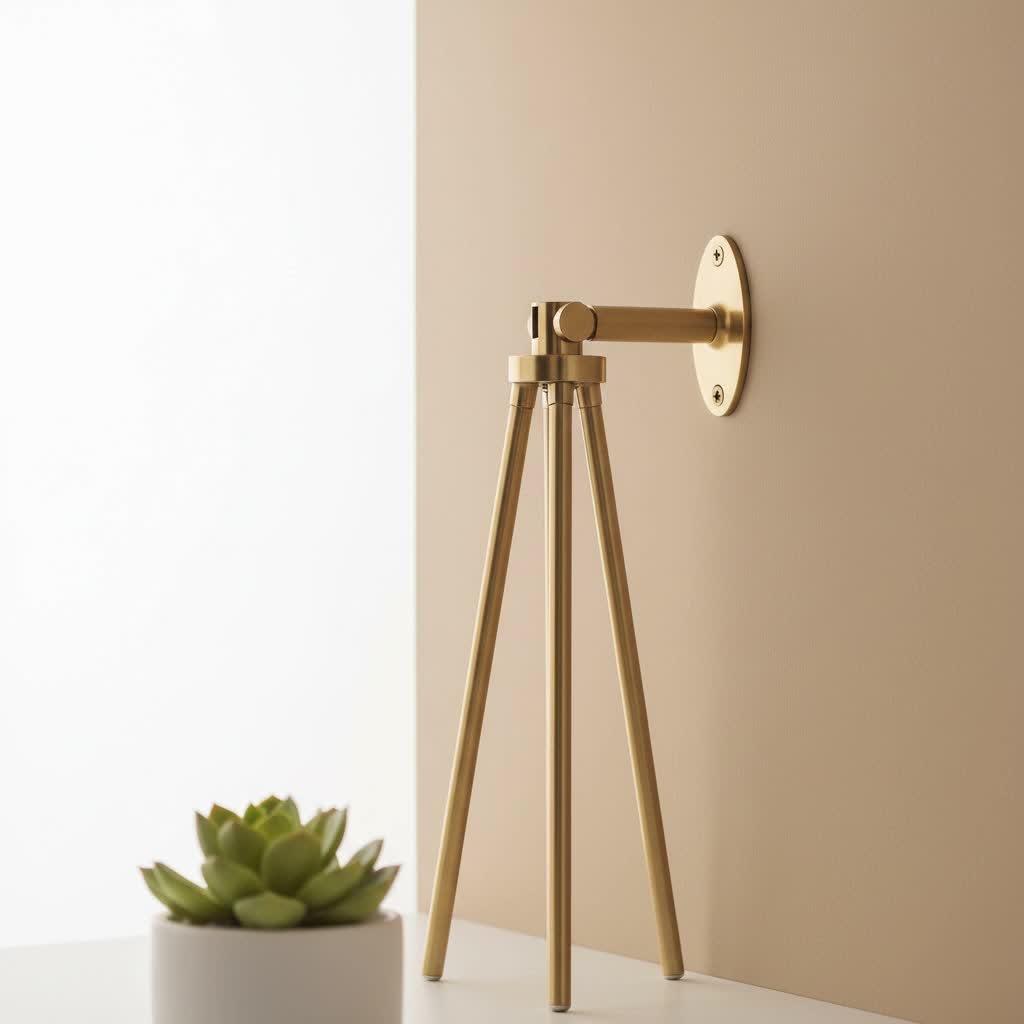
For years, I’ve watched creators grapple with sagging backdrops, unstable setups, and limited creative freedom. That’s why I’m here to demystify the humble, yet powerful, backdrop stand, helping you understand its critical role and guiding you to make an informed choice that elevates your work, whether you’re a budding enthusiast or a seasoned professional. Let’s dive into making your visual storytelling as seamless and impactful as possible.
Why a Dedicated Tripod Stand for Backdrops is a Game-Changer
Why should you invest in a proper tripod stand for your backdrop? Simply put, it transforms your creative process, delivering professional results with unmatched versatility. It’s the difference between a makeshift sheet taped to a wall and a perfectly smooth, wrinkle-free background that enhances your subject. This piece of equipment provides a stable, adjustable framework for all your background materials, from delicate muslin to heavy seamless paper, ensuring consistency and a polished look in every shot.
Think about the sheer flexibility it offers. A quality backdrop stand allows you to quickly change backgrounds to match different moods, themes, or clients, all while maintaining a professional appearance. It liberates you from the constraints of your environment, letting you create a dedicated shooting space almost anywhere. This means more time focusing on your subject and less time wrestling with an uncooperative background. For photographers and videographers who value efficiency and professional presentation, a Tripod Stand For Backdrop isn’t just a convenience; it’s an essential tool.
Understanding the Anatomy of a Backdrop Stand
What exactly makes up a typical tripod stand for backdrop? At its core, a backdrop stand consists of vertical supports, usually with tripod-style bases, connected by horizontal crossbars. These components work in harmony to create a stable frame. The upright supports are the “legs” of your system, much like a camera tripod, often made from durable yet lightweight materials like aluminum or steel, allowing for adjustable height. The crossbars are where your backdrop material hangs, and they are typically telescopic, meaning their width can be adjusted to fit various backdrop sizes.
Beyond these primary elements, most kits include essential accessories like clamps or clips to secure the backdrop to the crossbar, preventing wrinkles and slippage. Many also come with sandbags to add crucial stability, especially when using heavier backdrops or shooting in outdoor or high-traffic environments. A carrying case is also a common and welcome addition, making transportation and storage a breeze for on-location shoots. Understanding these basic parts will empower you to choose a system that perfectly aligns with your specific needs.
Types of Tripod Stands for Backdrops: Finding Your Match
When considering a tripod stand for your backdrop, you’ll encounter a few main types, each with its own advantages. The most common is the Standard/Portable Backdrop Stand, which features two vertical, tripod-style uprights connected by an adjustable horizontal crossbar. These are incredibly versatile, relatively lightweight, and often collapse into a compact size, making them perfect for both home studios and on-location work.
Then there’s the T-Shape Backdrop Stand. As the name suggests, this variant uses a single tripod upright with a crossbar mounted perpendicularly at the top, forming a “T” shape. These are often more compact and ideal for smaller backdrops or single-subject portraits where space is a premium. For those dealing with larger, heavier backdrops like thick vinyl or large paper rolls, a Heavy-Duty Backdrop Stand is your best bet. Constructed from sturdier materials like reinforced steel or thick aluminum alloy, these stands offer superior stability and weight capacity, minimizing sag and ensuring safety. While our focus is on tripod-based stands, it’s worth noting there are also specialty stands like arched or round ones for unique creative effects, and wall-mounted systems for permanent studio setups, though these fall outside the “tripod stand” category.
Key Factors When Choosing Your Tripod Stand for Backdrop
Selecting the right tripod stand for your backdrop isn’t a one-size-fits-all decision. There are several critical factors to weigh to ensure you get a system that meets your current needs and anticipates future ones.
Size Matters: Height and Width Adjustability
|
Our Picks for the Best Tripod Stand in 2026
As an Amazon Associate I earn from qualifying purchases.
|
||
| Num | Product | Action |
|---|---|---|
| 1 | 71” Phone Tripod & Selfie Stick, Portable All in One Extendable Cell Phone Tripod Stand, with Wireless Remote Control for iPhone/Samsung/Android/Camera |

|
| 2 | EUCOS 62\" Phone Tripod, Tripod for iPhone & Selfie Stick with Remote, Extendable Cell Phone Stand & Ultimate Phone Holder, Solidest Phone Stand Compatible with iPhone/Android |
|
| 3 | Amazon Basics 50-inch Lightweight Portable Camera Tripod Stand with Quick-Release Plate, Adjustable Height, Aluminum, for Travel Photography, Champagne |
|
| 4 | TONEOF 68\" Magnetic Selfie Stick Tripod with Aluminum Strong Magnetic Holder for Magsafe, 360° Rotatable Travel Phone Tripod Stand with Metal Ring & Rechargeable Remote for iPhone/Android(Beige Gray) |
|
| 5 | Projector Stand Tripod Adjustable, Laptop Height from 23.5 to 46.5 inches with Gooseneck Phone Holder, Floor for Office, Home, Stage, Studio, DJ Racks Holder Mount, 23.5inch-46.5inch |
|
| 6 | SENSYNE 62\" Phone Tripod & Selfie Stick, Extendable Cell Phone Tripod Stand with Wireless Remote and Phone Holder, Compatible with iPhone Android Phone, Camera |
|
| 7 | 64” Tripod for Cell Phone & Camera, Phone Tripod with Remote and Phone Holder, Sturdy & Stable Height Adjustable Multi-Angle Shot Selfie Stick Tripod for Video Recording |
|
| 8 | IFOOTAGE RB-A400 Round Base Light Stand Monopod, 79\" Tripod Monopod for Cameras, Lights, Webcam, Live Streaming, Vlogging, Payload 22LBS |
|
| 9 | Laptop Tripod Stand – Adjustable Laptop Holder with Phone Mount - Heavy- Duty Alloy Tripod Stand with Tray - Height Adjustable 0.65–1.6m - Portable, Foldable, 15kg Load Capacity - Black |
|
| 10 | CAMBOFOTO 74\"-Camera-Tripod, Professional Aluminum Tripod/Leg Stand Mirrorless Camera/DSLR/Cell Phone/Camcorder/GoPro, with Phone Holder and Travel Bag (Gunmetal Gray) Weight 2.8 lbs Load 8.8 lbs |
|
What size backdrop stand do I need? The ideal size for your backdrop stand largely depends on your subjects and available shooting space. For individual portraits or headshots, a stand that reaches 6.5-7 feet in height and 6 feet in width is often sufficient. However, if you plan on shooting full-body portraits, groups, or larger products, you’ll want a stand with a maximum height of 8 feet or more and a width of 9-10 feet.
“Always aim for adjustability in both height and width,” advises Elara Vance, Lead Visual Content Strategist at SxJks. “It gives you the flexibility to adapt to different backdrops and shooting environments without needing multiple stands.” Look for stands with telescopic crossbars and uprights, allowing you to fine-tune your setup.
Stability and Weight Capacity: Don’t Compromise
How much weight can a backdrop stand hold? This varies significantly between models, typically ranging from 7 to 50 pounds, depending on the stand’s design and construction. It’s a crucial specification to check, especially if you intend to use heavier backdrop materials like thick vinyl, seamless paper rolls, or multiple fabric layers. A stand with insufficient weight capacity will likely sag in the middle, creating an unprofessional look and potentially becoming a safety hazard.
Prioritize stands with sturdy, wide bases and secure locking mechanisms on the uprights and crossbars. For added stability, especially when shooting outdoors or in busy environments, always incorporate sandbags at the base of your tripod supports. These simple additions can make a huge difference in preventing accidental tipping or wobbling.
Portability and Setup: On-the-Go or Studio Bound?
Are backdrop stands easy to set up? Most portable tripod stands for backdrops are designed for quick and tool-free assembly, often taking only minutes. If you frequently shoot on location, portability is paramount. Look for lightweight models made from aluminum alloy that collapse into a compact size and come with a dedicated carrying bag. This makes transportation effortless and ensures your gear is protected.
For those with a permanent studio setup, while portability is less critical, ease of assembly still plays a role in workflow efficiency. Even in a studio, you might occasionally need to break down and reconfigure your setup, so simple, intuitive designs are always a plus.
Material Quality and Durability
What material is best for a backdrop stand? Generally, you’ll find stands made from either aluminum alloy or steel. Aluminum alloy offers an excellent balance of lightweight design and strength, making it ideal for portable solutions and general use. It’s also corrosion-resistant. Steel, while heavier, provides superior strength and stability, making it the preferred choice for heavy-duty stands that need to support substantial weight or withstand more rigorous use. Investing in higher-quality materials ensures longevity and reliability, saving you from premature wear and tear.
Compatibility with Your Backdrops and Accessories
What clamps do I need for a backdrop stand? Most standard tripod stands for backdrops come with or are compatible with spring clamps or grip clamps, which are effective for securing a wide range of backdrop materials. Ensure the stand you choose is versatile enough to accommodate the types of backdrops you use, whether they are muslin, paper, vinyl, or fabric. Also, consider if you’ll need additional accessories like extra clamps, backdrop chains, or even specialized holders for seamless paper rolls, and confirm the stand can support them.
Pro Tips for Setting Up Your Tripod Stand for Backdrop Safely
Even the best tripod stand for backdrop needs proper setup to ensure safety and optimal performance. Here are some pro tips from the team at SxJks:
- Always Check All Connections: Before hanging any backdrop, double-check that all knob locks, clamps, and telescopic sections are securely tightened. A loose connection is an accident waiting to happen.
- Utilize Sandbags: This cannot be stressed enough. Place sandbags on the legs of your tripod supports, especially at the base, to add significant stability. This is non-negotiable for heavier backdrops or outdoor shoots.
- Distribute Weight Evenly: When hanging your backdrop, try to distribute its weight as evenly as possible across the crossbar. Avoid hanging heavy items only on one side, as this can cause instability.
- Position Strategically: Set up your stand in an area where it won’t be easily bumped into by people, pets, or objects. If space is limited, consider a T-shape stand or a model with a smaller footprint.
- Test the Setup: Before starting your shoot, give the stand a gentle nudge to ensure it feels stable. Better safe than sorry!
Frequently Asked Questions
What’s the difference between a light stand and a backdrop stand?
While both feature tripod bases and adjustable heights, a dedicated backdrop stand includes a crossbar designed to hold wider backdrops, unlike a light stand which is primarily for mounting lights or small modifiers. You can use two light stands with a separate crossbar, but purpose-built backdrop stands often offer better stability and compatibility.
Can I use a regular camera tripod for a backdrop?
No, a regular camera tripod is not designed to hold a wide backdrop. It typically has a single mounting point for a camera and lacks the width and stability needed for a backdrop crossbar. You would need two tripods and a separate crossbar, which can be less stable than a dedicated system.
How do I prevent my backdrop stand from falling over?
The most effective way is to use sandbags. Place them on the base of each upright support to lower the center of gravity and add weight. Ensure all locking mechanisms are tight and extend the tripod legs as wide as safely possible for a broader base.
What kind of backdrops can I use with a tripod stand?
A versatile tripod stand for backdrop can hold a wide array of materials, including muslin, seamless paper rolls, vinyl backdrops, fabric, and even lightweight curtains. Always check your stand’s weight capacity to ensure it can safely support your chosen backdrop.
How important is an adjustable crossbar?
An adjustable crossbar is incredibly important. It allows you to quickly change the width of your backdrop setup to accommodate different backdrop sizes, from narrow portrait backgrounds to wider scenes for groups. This flexibility saves you from needing multiple crossbars or stands.
Conclusion
Choosing the right tripod stand for your backdrop is a foundational decision that impacts the quality, efficiency, and safety of your creative work. By focusing on adjustability, stability, weight capacity, and material quality, you’re not just buying a piece of equipment; you’re investing in the professional presentation of your visual content. A reliable tripod stand for backdrop will empower you to transform any space into a professional studio, allowing your creativity to truly shine.
Don’t let a flimsy setup hold you back. Take these insights from SxJks, apply them to your purchasing decision, and watch your photography and videography reach new heights. Visit sxjks.com for more expert guides and share your setup experiences with us – we love seeing our community thrive!
